Student and staff attendance software
Roll call from a teacher's phone, fingerprint machine sync, SMS to guardians when a student is absent, and monthly attendance reports.
The attendance register gets filled every day, but working out who missed how many days at the end of the month takes half a day. And when a student does not come to school, the guardian often never finds out.
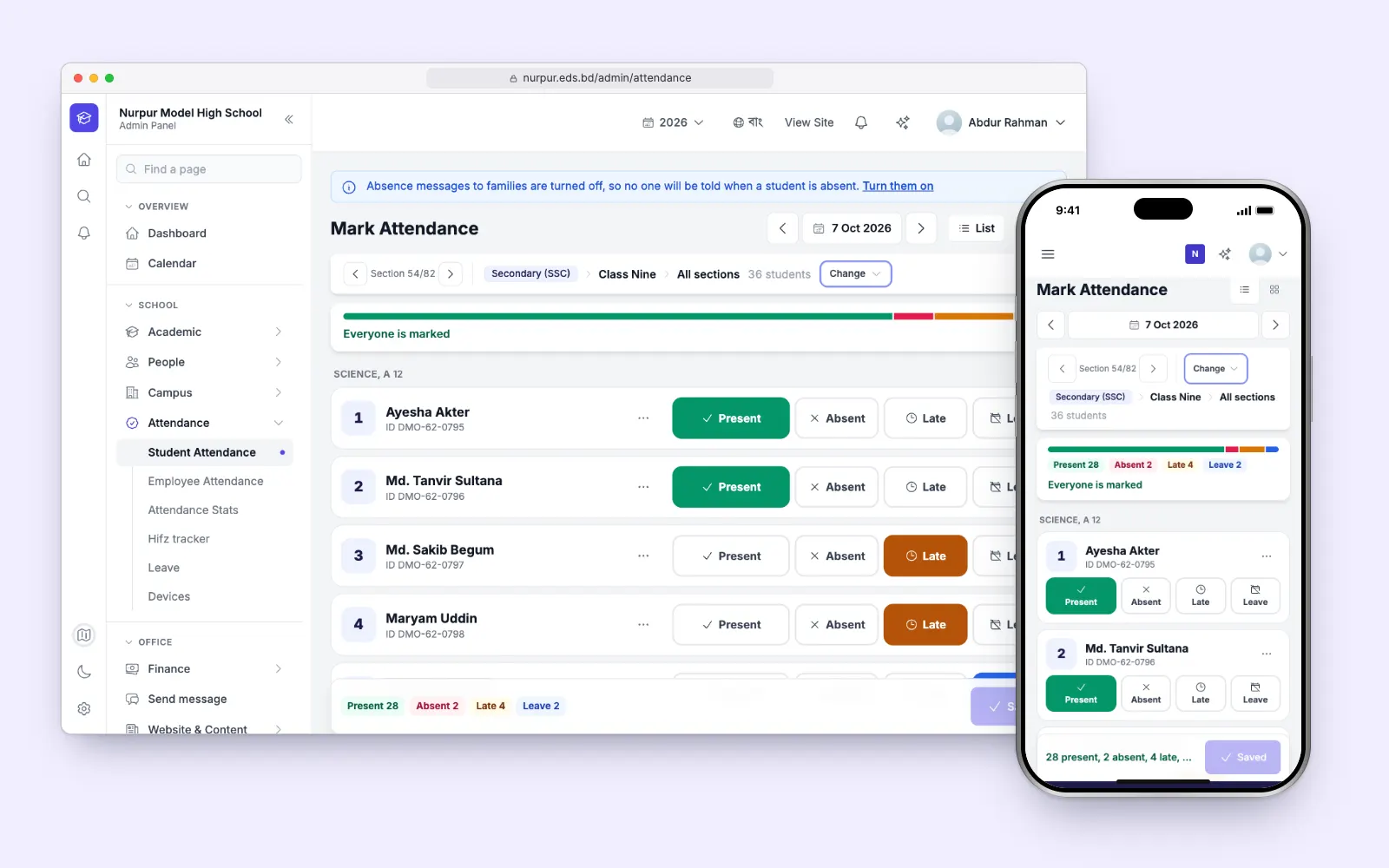
In EduSine, teachers take attendance on their phones, and the totals are always ready.
What it does for your institution
- Roll call on a phoneTeachers take their class's attendance from their own phone. Mark everyone present in one go and change only the absent ones, so it is quick.
- Staff attendanceTeacher and staff attendance lives in the same place.
- Fingerprint machinesOn Standard, your fingerprint machine's records come into EduSine automatically.
- News for guardiansYou can SMS the guardian of a student who is absent, and send a monthly attendance summary by SMS or email.
- Leave requestsTeachers, staff and students can apply for leave. Approved leave days show as leave in attendance.
- ReportsAttendance totals by class, section and month.
How it works
- The teacher opens their phone in classOn the Mark Attendance page they pick their class and section.
- They take attendanceThey mark the absent students and save. Mistakes can be corrected later, and the correction stays visible.
- The office checksAt a glance, the office sees which classes have not been marked yet.
- Guardians are toldWith absence SMS switched on, the guardian of an absent student gets a message.
- Reports at month endAttendance totals and statistics need no separate work.
Connecting a fingerprint machine
On Standard, you connect a machine from Attendance → Devices. A small sync program runs on the office computer where the machine's attendance software, TimeNet, keeps its records. It reads new punches from TimeNet's database and sends them to EduSine. A machine works with EduSine when its punches are kept in TimeNet. If your machine uses other software, check with us before you buy or connect it. With fingerprint punches you can also tell guardians when a student arrived and whether they were late. Read our fingerprint attendance guide for more.
Who uses it
- Head of the institutionsees attendance and leave requests for the whole institution.
- Officecan mark or correct any class and prints reports.
- Teacherstake attendance for their own class or section. Class teachers see their class's leave requests.
- Guardiansget absence SMS. On Standard they see their child's attendance in the portal and apply for leave there.
Common questions
Does the absence SMS go out by itself?
No, it is off at first. The institution switches it on in Settings. Each SMS is paid from the institution's message balance.
Can we take attendance on the Free plan?
Yes. Student and staff attendance are on Free. Connecting fingerprint machines is on Standard, which allows up to two machines.
What if there is no internet?
Taking attendance needs internet, but mobile data is enough.
Can a wrong entry be corrected?
Yes. A correction is marked next to the original, so you can see who changed what.
To take attendance without the register, start today.
Related features
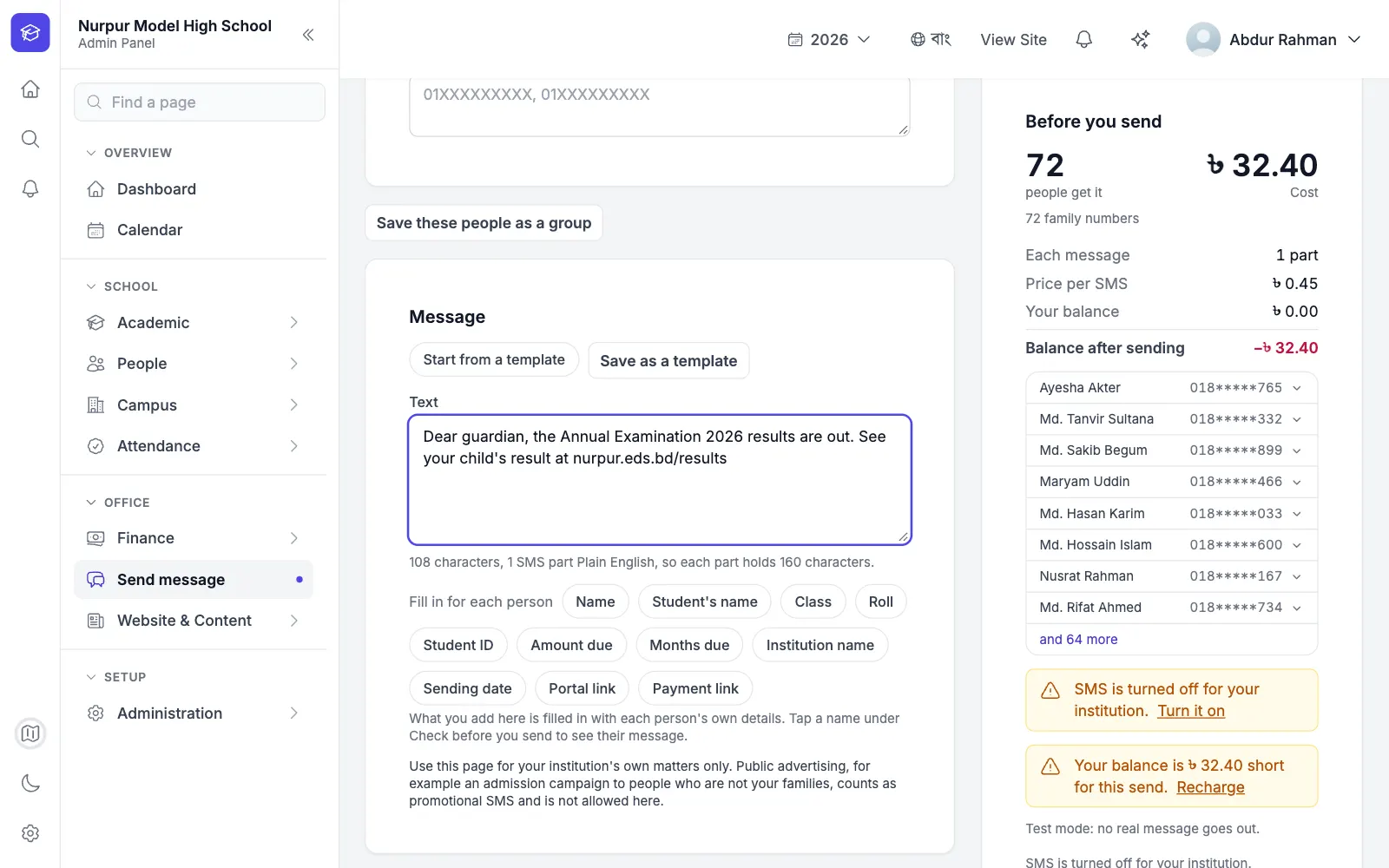
SMS and email
Send SMS and email in Bangla to a class, families with dues, staff or any number. Recharge in Taka, see the cost before sending and see who got it.
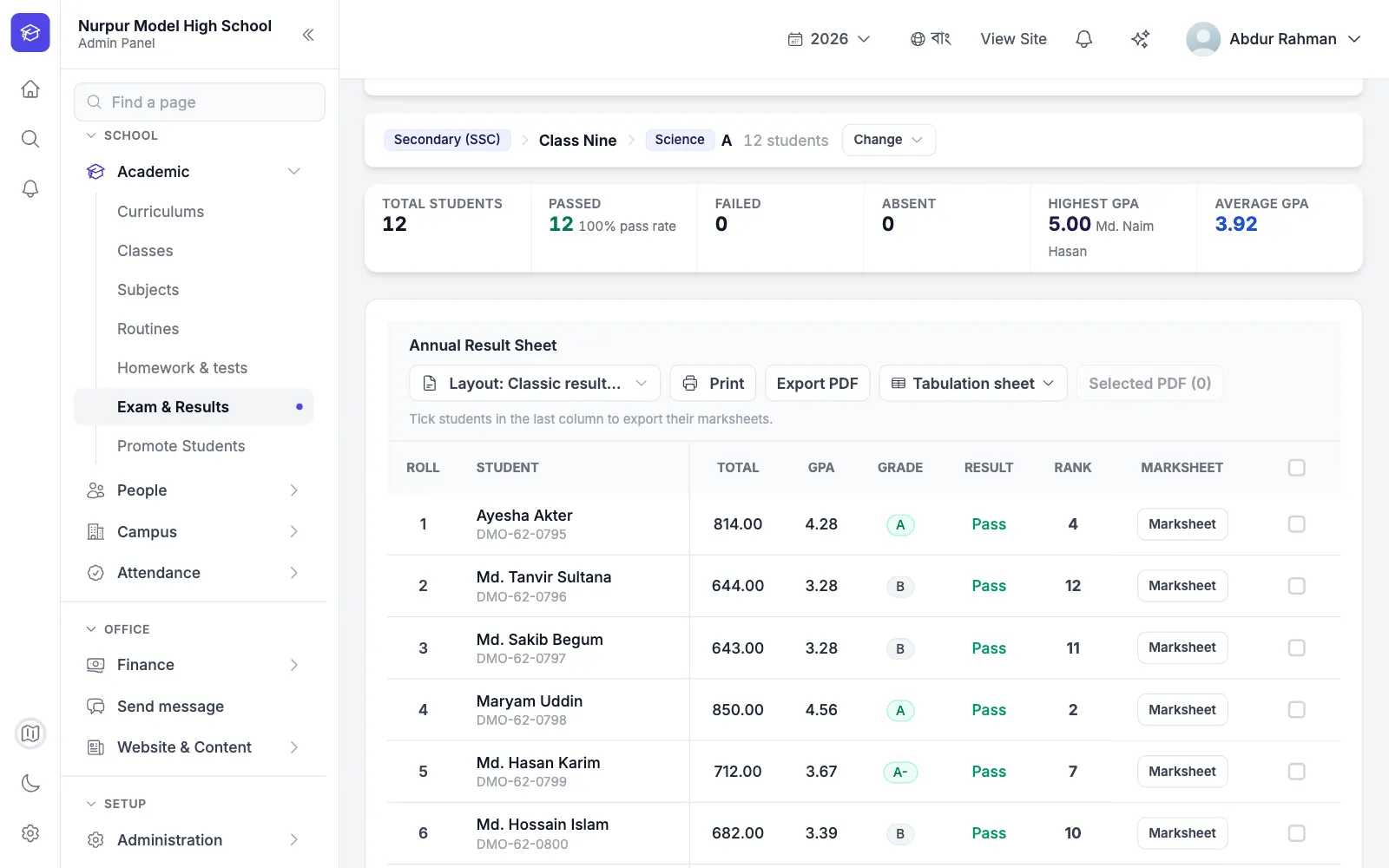
Results and marksheets
Board-rule GPA, the 4th subject and merit positions worked out for you. Print marksheets and send each family its result by SMS and email.
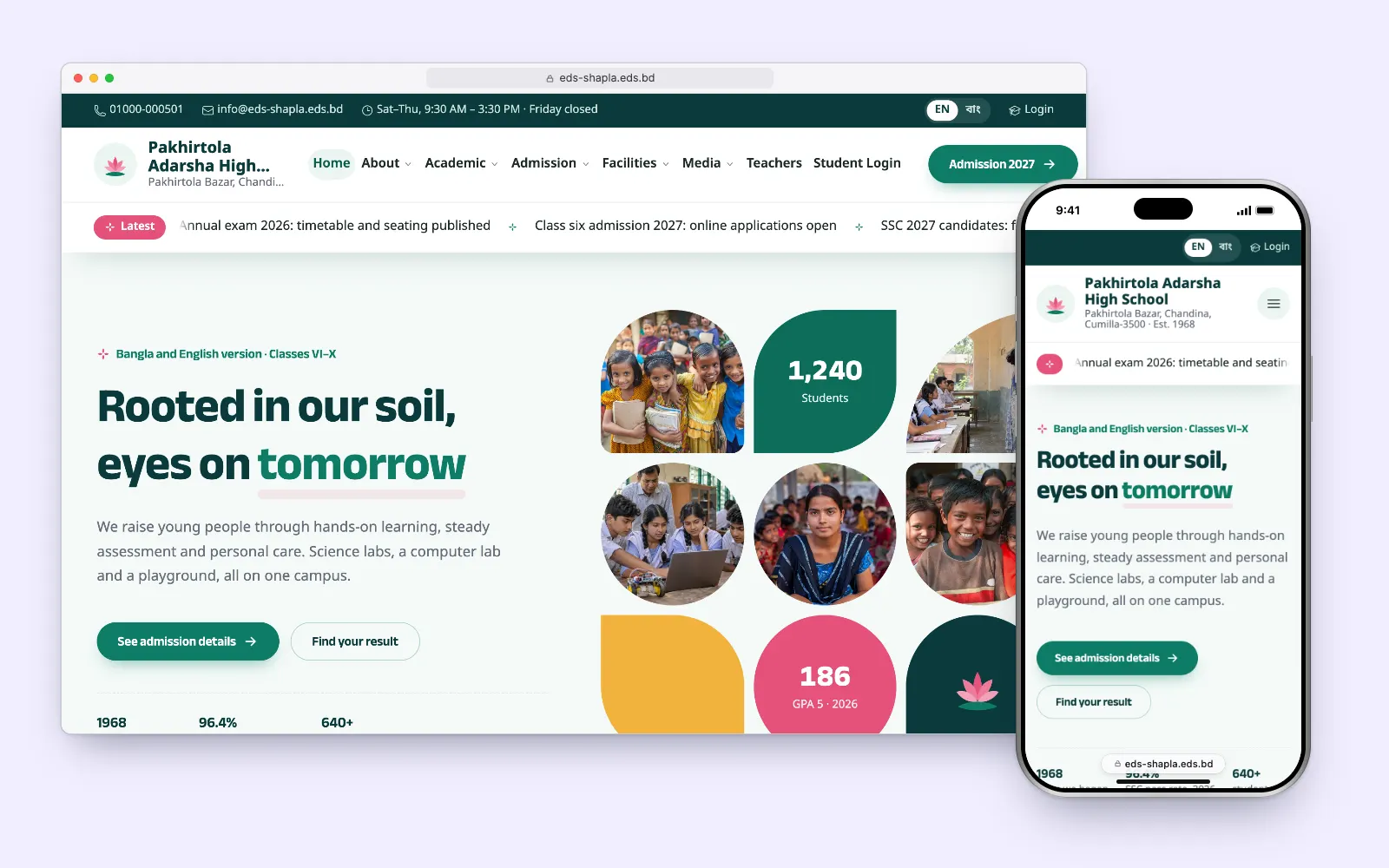
Free website
A free bilingual website for your institution. Notices, the admission form, results and the teacher list update from the same software. 12 designs.
Put your institution online before 30 December.
Live in 10 minutes. We're here if you get stuck.