Teacher salary sheet and payslip software
Salary structures, the monthly salary sheet, festival bonuses, advances, payslips, the bank salary advice and the annual salary statement in one place.
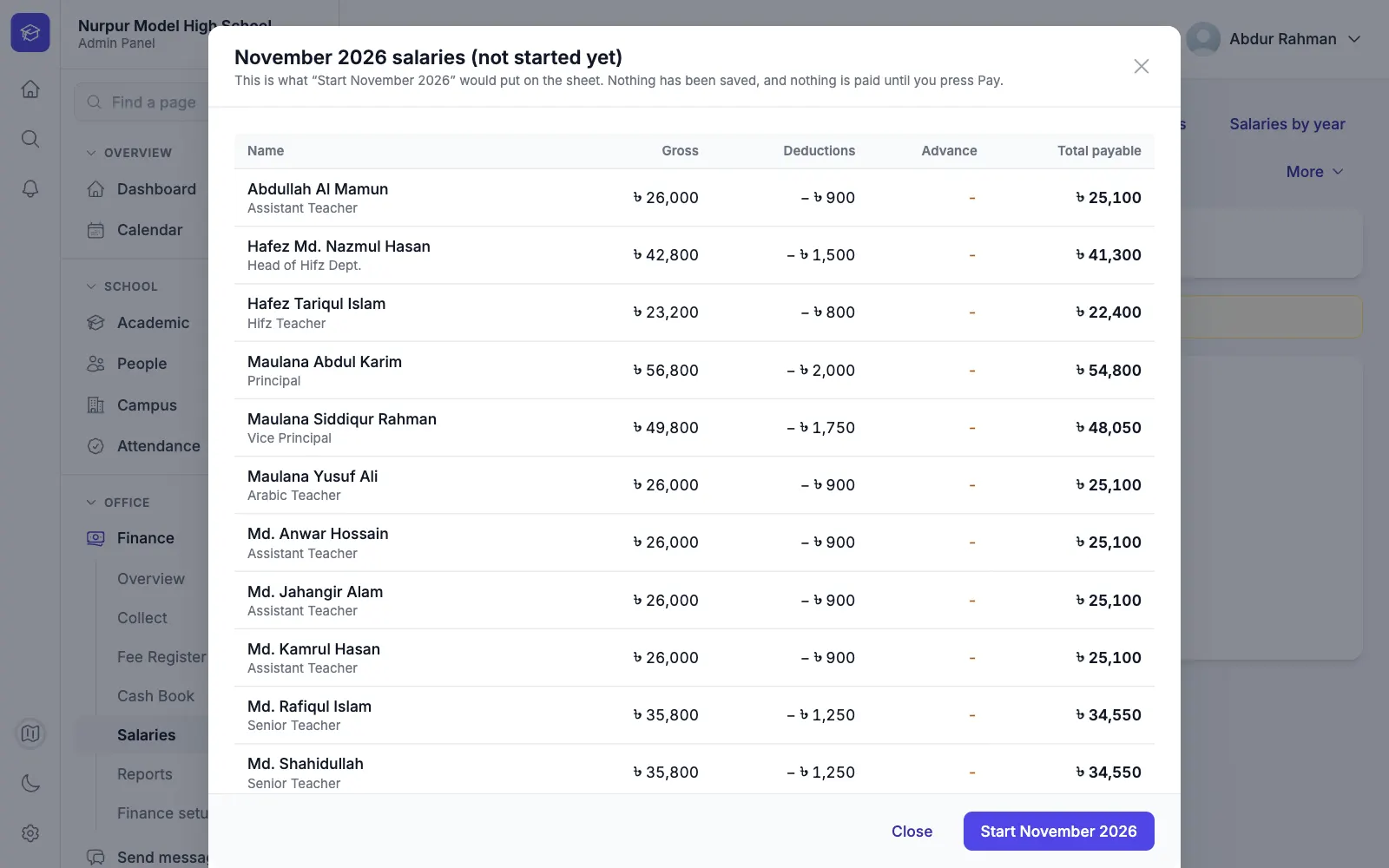
Every month starts with a salary sheet. Someone's advance has to be deducted, someone took unpaid leave, Eid brings a festival bonus. Then comes the letter for the bank and everyone's payslip. One small slip and someone is paid too much or too little.
In EduSine, set each staff member's salary structure once and every month's sheet builds itself.
What it does for your institution
- Salary structuresKeep each teacher's and staff member's basic pay, allowances and deductions.
- The monthly salary sheetOne press makes the whole month's sheet.
- Bonuses and advancesPay festival bonuses and salary advances. Advances are tracked as they are recovered from later salaries.
- Linked to leaveWhen unpaid leave is approved, those days are deducted from salary.
- PayslipsEight designs, including an MPO-style payslip, a payslip with year-to-date totals and a payslip with a QR code.
- Bank salary advicePrint the letter for the bank straight from the software.
- Annual salary statementEach staff member's salary for the Bangladesh fiscal year, July to June. Useful at income tax return time.
How it works
- Add staff detailsGive each person's joining date and bank account. Staff without a joining date do not appear on the salary sheet.
- Set the salary structureEnter basic pay, heads like house rent or medical allowance, and any deductions.
- Open the month's sheetPick the month in Finance → Salaries. Everyone's salary is worked out and shown.
- Check, then payRecord payments one by one or for everyone at once.
- Print the papersDownload the bank advice, the salary sheet and all payslips as one PDF, or export to Excel.
Who uses it
- Head of the institutionreviews and approves the salary sheet.
- Accountant or officekeeps salary structures, prepares each month's sheet and records payments.
- Teachers and staffopen My space in their own account to see and download their payslips and their annual salary statement.
- Managing committeereviews the monthly salary sheet and expense reports.
Which plan has it
The salary sheet and payslips are part of Standard. On Free you can record salary payments as expenses, but there are no salary structures, salary sheets or payslips.
Common questions
Can we keep records for MPO teachers?
Yes. Staff records hold the MPO index number, pay grade and pay scale. Each salary head can be marked as paid by the government or by the institution, and the MPO-style payslip shows the two shares side by side.
How do we pay a festival bonus?
Pay it from the Salaries page, to everyone at once or to chosen people.
Can we record salaries paid in cash?
Yes. Cash or bank, you can record the payment either way.
Can staff see their own salary records?
Yes. Teachers and staff sign in to their own account and open My space. There they see each month's payslip and can download it, along with their annual salary statement.
To make each month's salary sheet without the hassle, start today.
Related features
Fees and receipts
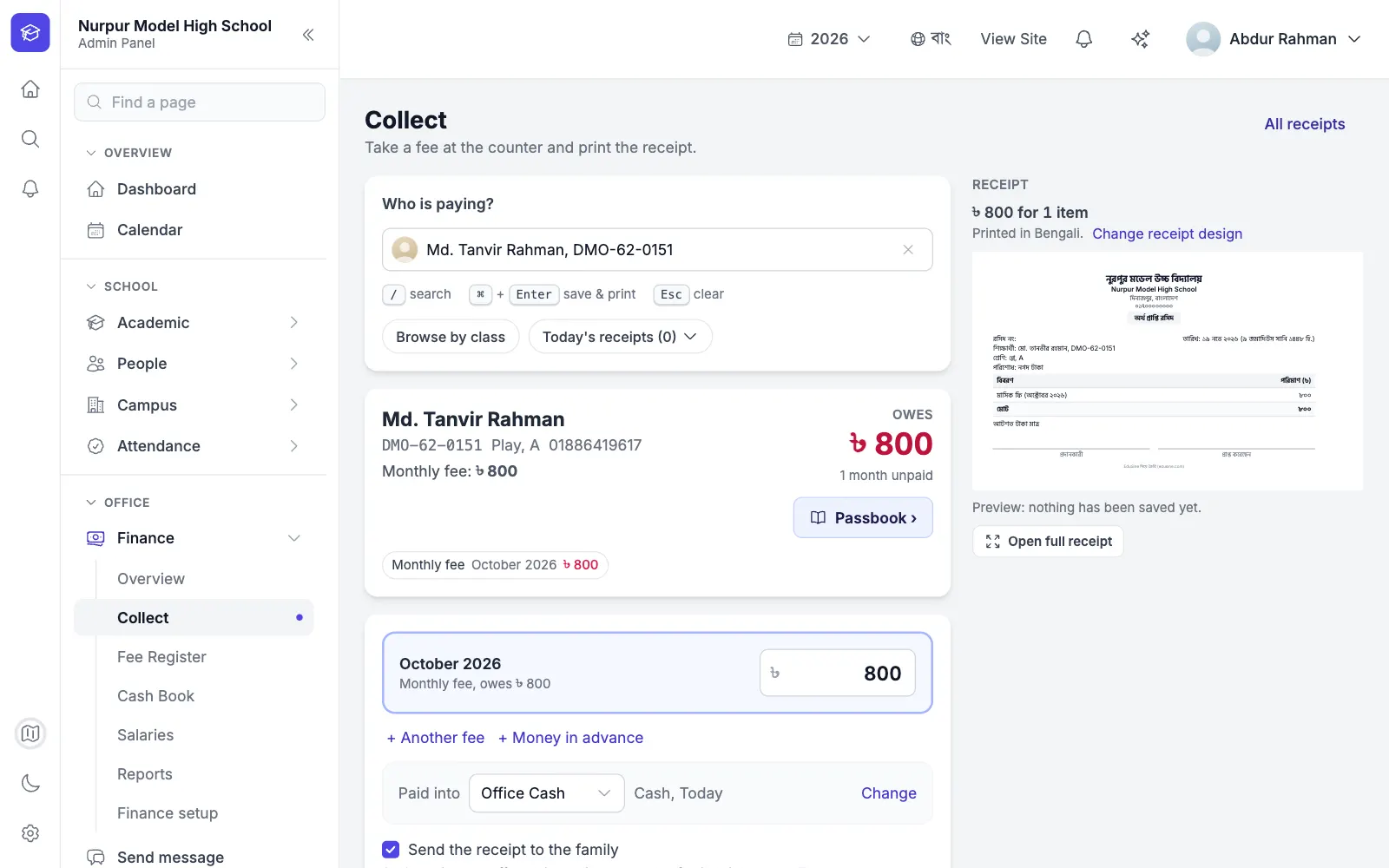
Set fees by class or student, create monthly bills automatically, print receipts in Bangla and see who owes what in the Fee Register.
Results and marksheets
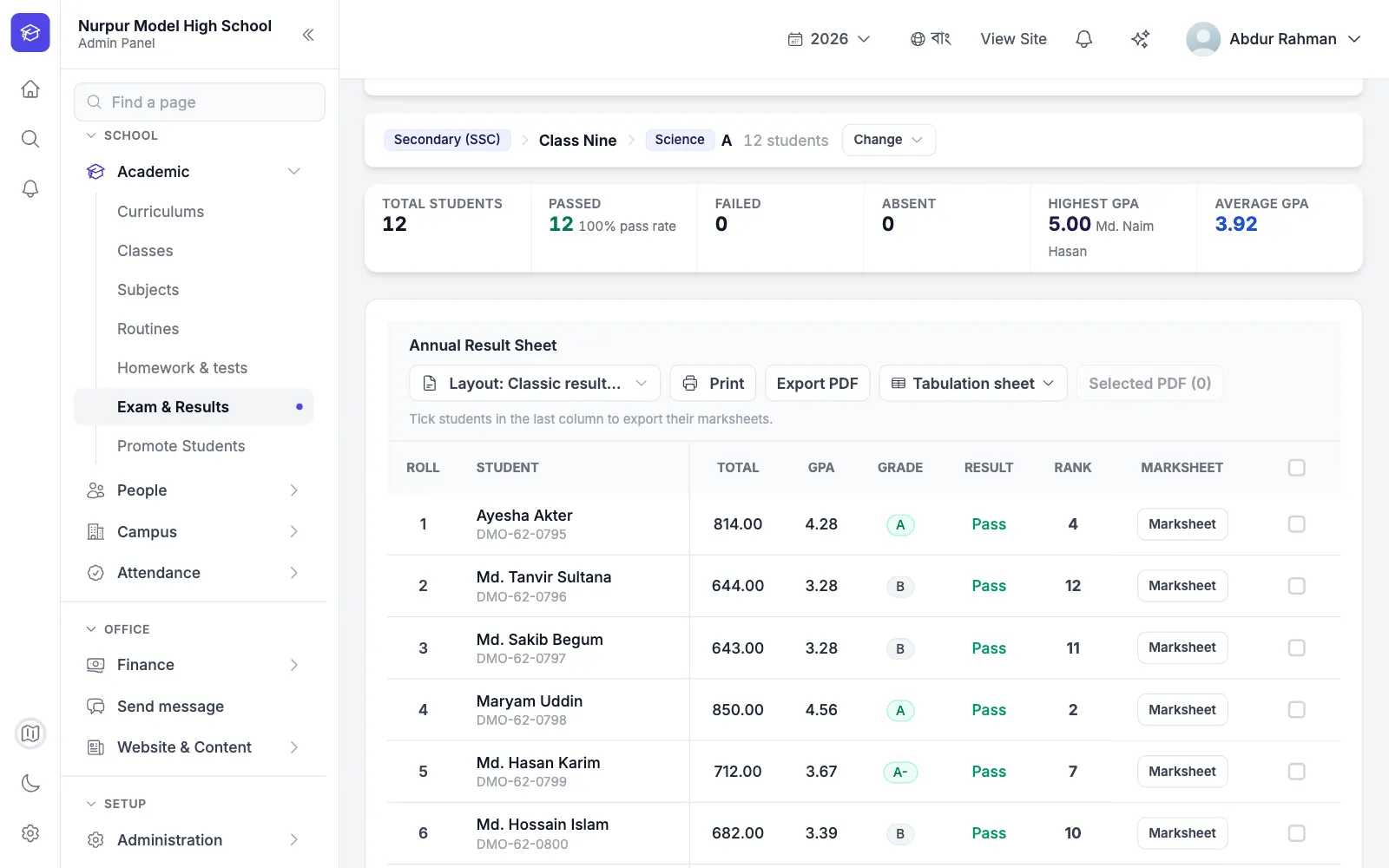
Board-rule GPA, the 4th subject and merit positions worked out for you. Print marksheets and send each family its result by SMS and email.

Free website
A free bilingual website for your institution. Notices, the admission form, results and the teacher list update from the same software. 12 designs.
Put your institution online before 30 December.
Live in 10 minutes. We're here if you get stuck.