School fee collection and receipt software
Set fees by class or student, create monthly bills automatically, print receipts in Bangla and see who owes what in the Fee Register.
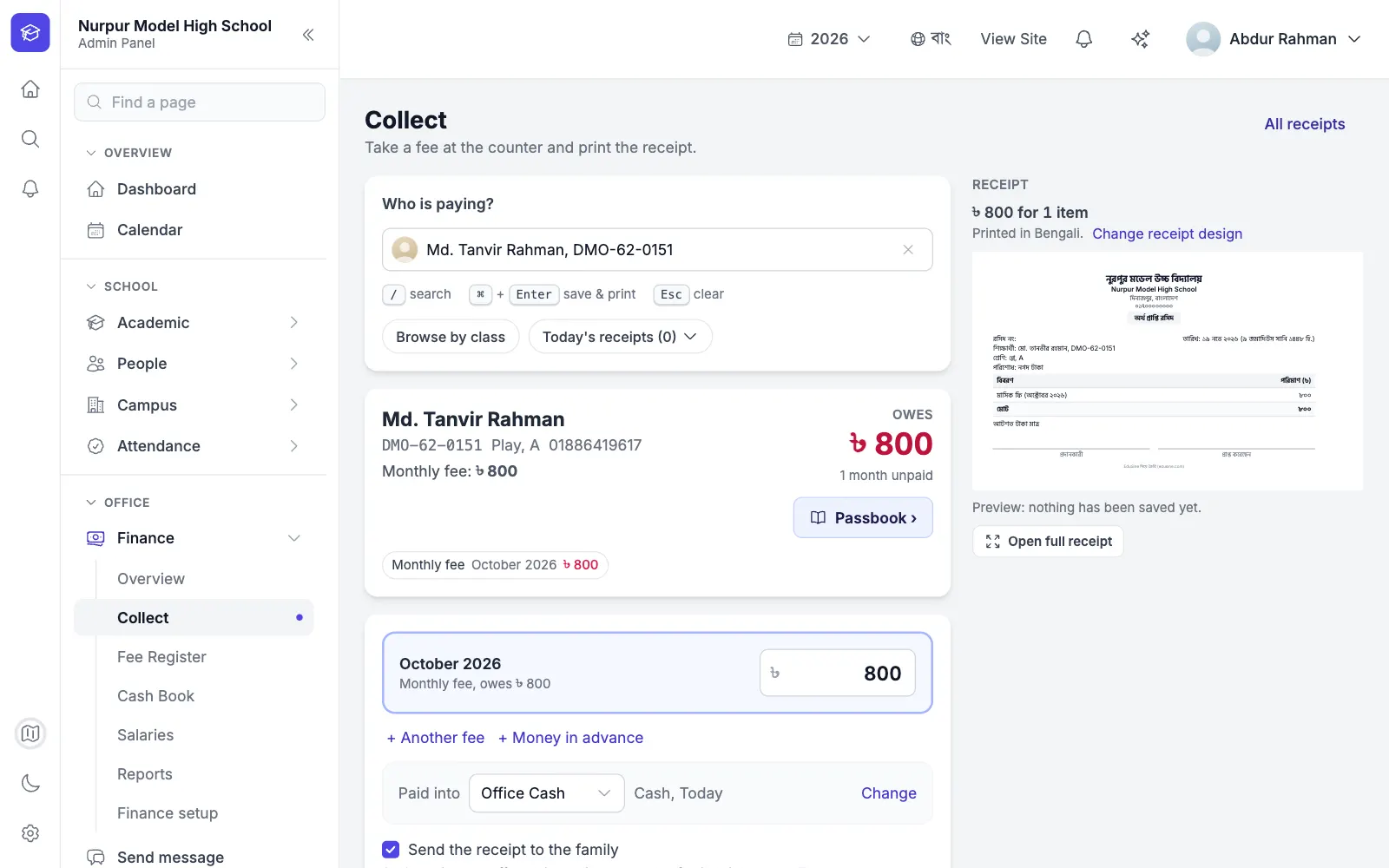
A tuition register, a receipt book and a cash book: the same money written down in three places. At month end, finding out who owes what means leafing through registers. And when a guardian says "but I paid last month", the receipt is hard to find.
In EduSine, collecting a fee updates the receipt, the dues and the cash book together.
What it does for your institution
- Fee setupSet fees for the whole institution, a curriculum, a class, a section or a single student.
- Automatic billsMonthly tuition bills are created every month on their own. Exam-fee and yearly bills can be created too.
- DiscountsA standing discount for a student is applied to every monthly bill automatically.
- Fee RegisterOne list shows who has paid and who owes how much.
- Student passbookAll of a student's bills and payments on one page, in date order.
- Receipts in Bangla or EnglishOn Standard, choose from ten receipt designs, such as a counter slip, a madrasah-style receipt or a card for phones. Free prints one standard design. The receipt can be sent to the guardian by SMS or email.
- Cash book and reportsDaily collection, the cash counter close and income and expense reports.
How it works
- Set up feesIn Finance → Setup, add heads like monthly tuition, admission fee and exam fee, with their amounts.
- Bills are createdEach month, bills are made in every student's name automatically.
- CollectOn the Collect page, type the student's name or roll. Their unpaid bills appear. Take the money and save, and the receipt is made.
- Hand over the receiptPrint it or send it to the guardian by SMS or email. Every receipt is numbered automatically, and no two receipts share a number.
- Check at day endThe cash counter close report shows what came in today, so you can match it with the cash in hand.
Who uses it
- Head of the institutionsees collection, dues and the income and expense summary.
- Accountant or officecollects fees, issues receipts and keeps the cash book.
- Managing committeegets PDF reports in Bangla and English.
- Guardiansget receipts. On Standard they see the fee statement and receipts in the portal.
What Free and Standard include
Free includes fee setup, collection and receipts, with up to ৳50,000 coming in and ৳50,000 going out each month. Standard removes that limit and adds full accounts (journal, bank reconciliation, month closing), payroll and online fee payment.
| Free | Standard | |
|---|---|---|
| Fee setup, collection and receipts | Yes | Yes |
| Money in and out each month | Up to ৳50,000 each way | No limit |
| Full accounts (journal, bank reconciliation, month closing) | No | Yes |
| Payroll | No | Yes |
| Online fee payment | No | Yes |
Common questions
Can guardians pay fees online?
Yes, on Standard, once the institution connects its own SSLCommerz or aamarPay merchant account in Finance setup → Online payments. Guardians pay one bill, or several bills of one child together, from the portal. When the gateway reports it, the receipt shows whether the money came by bKash, Nagad, Rocket, Upay or card.
How do we bring in old dues?
On the Fee Register, press "Add a bill" and add the earlier dues as a separate bill on the student. It is then collected like any other bill.
Do receipts print in Bangla?
Yes. Receipts print in Bangla or English.
What if a receipt is issued by mistake?
You can cancel it. The cancelled receipt stays on record, which keeps the accounts easy to check later.
To keep fee accounts without registers, start today.
Related features
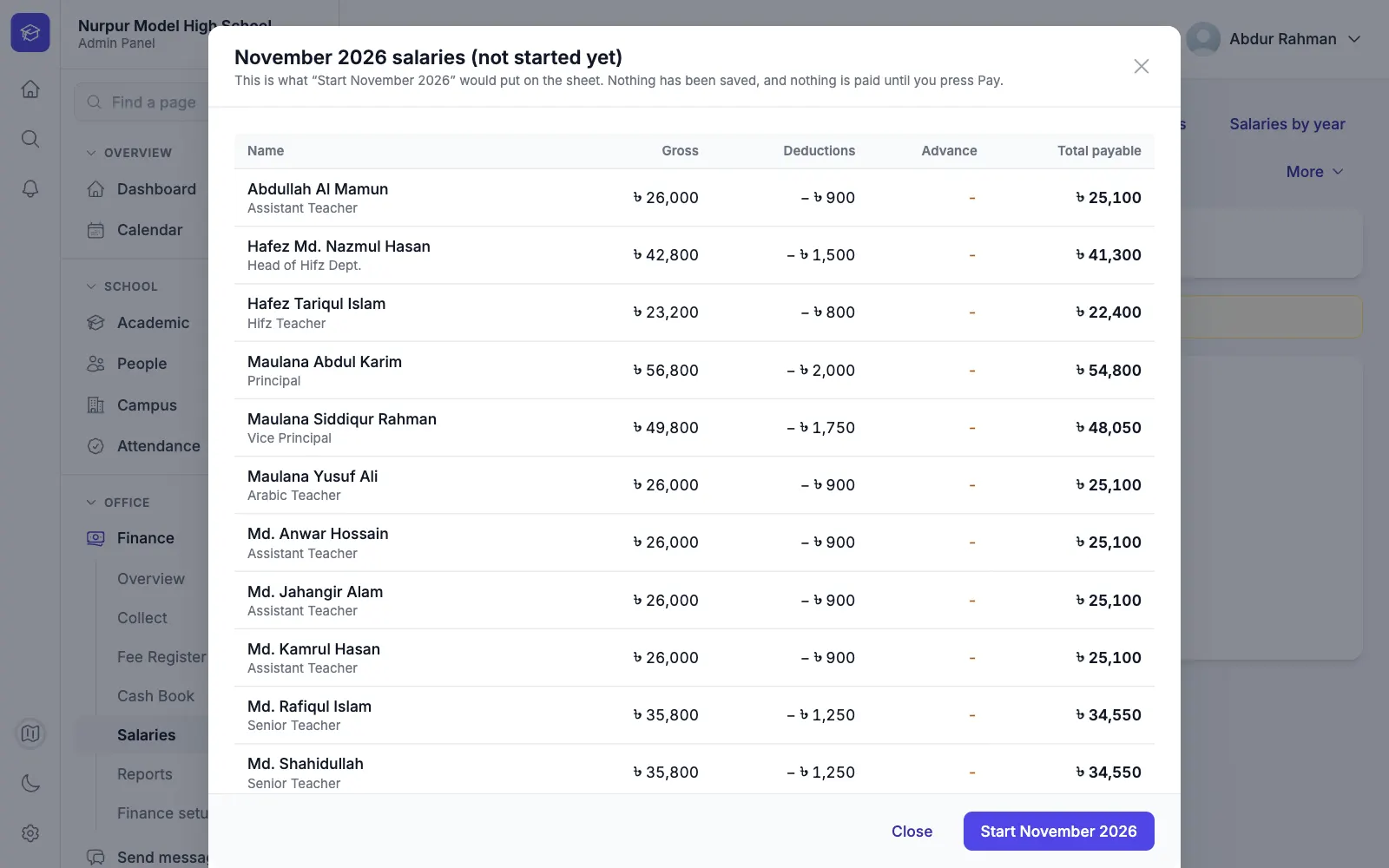
Salary and payslips
Salary structures, the monthly salary sheet, festival bonuses, advances, payslips, the bank salary advice and the annual salary statement in one place.
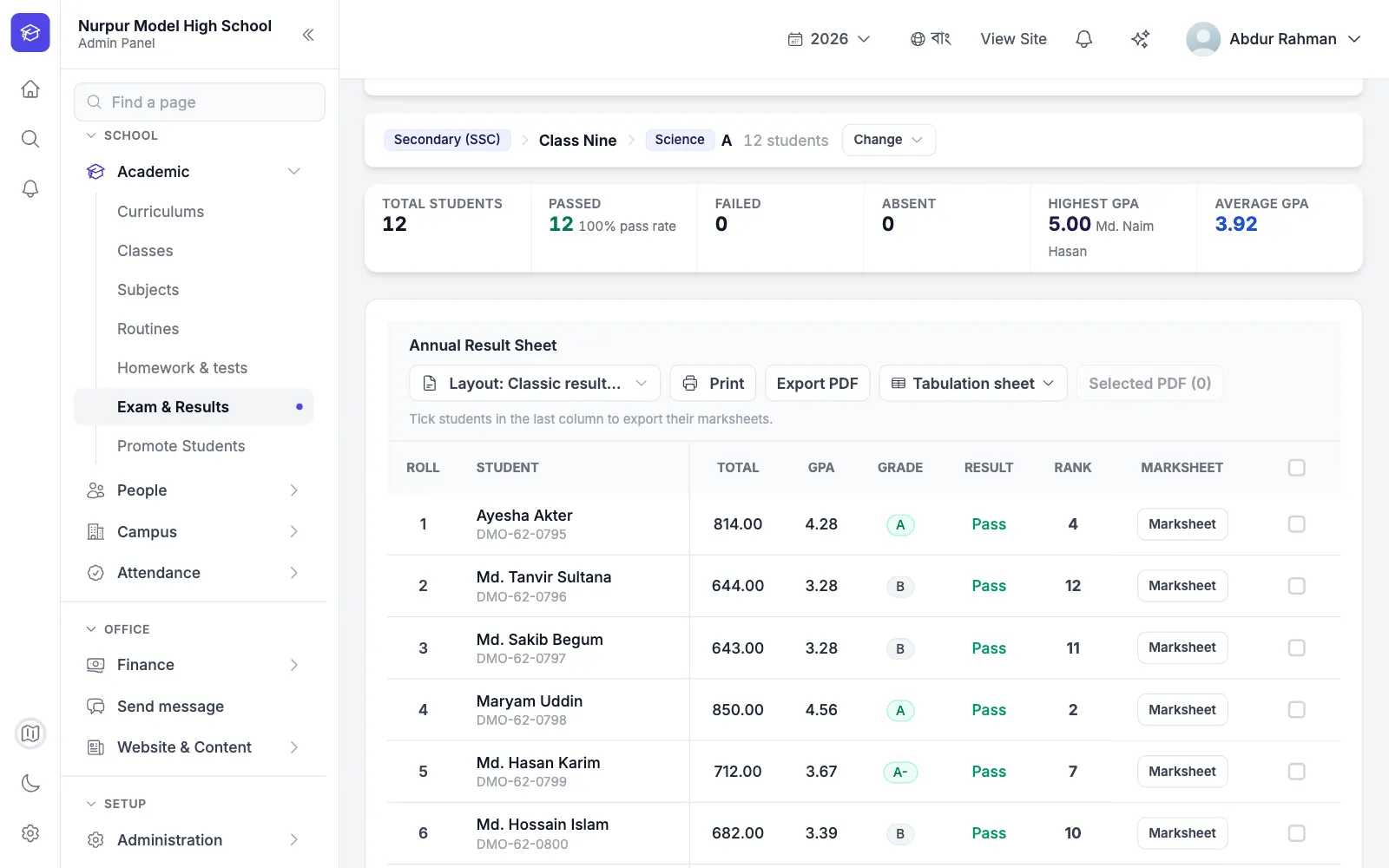
Results and marksheets
Board-rule GPA, the 4th subject and merit positions worked out for you. Print marksheets and send each family its result by SMS and email.
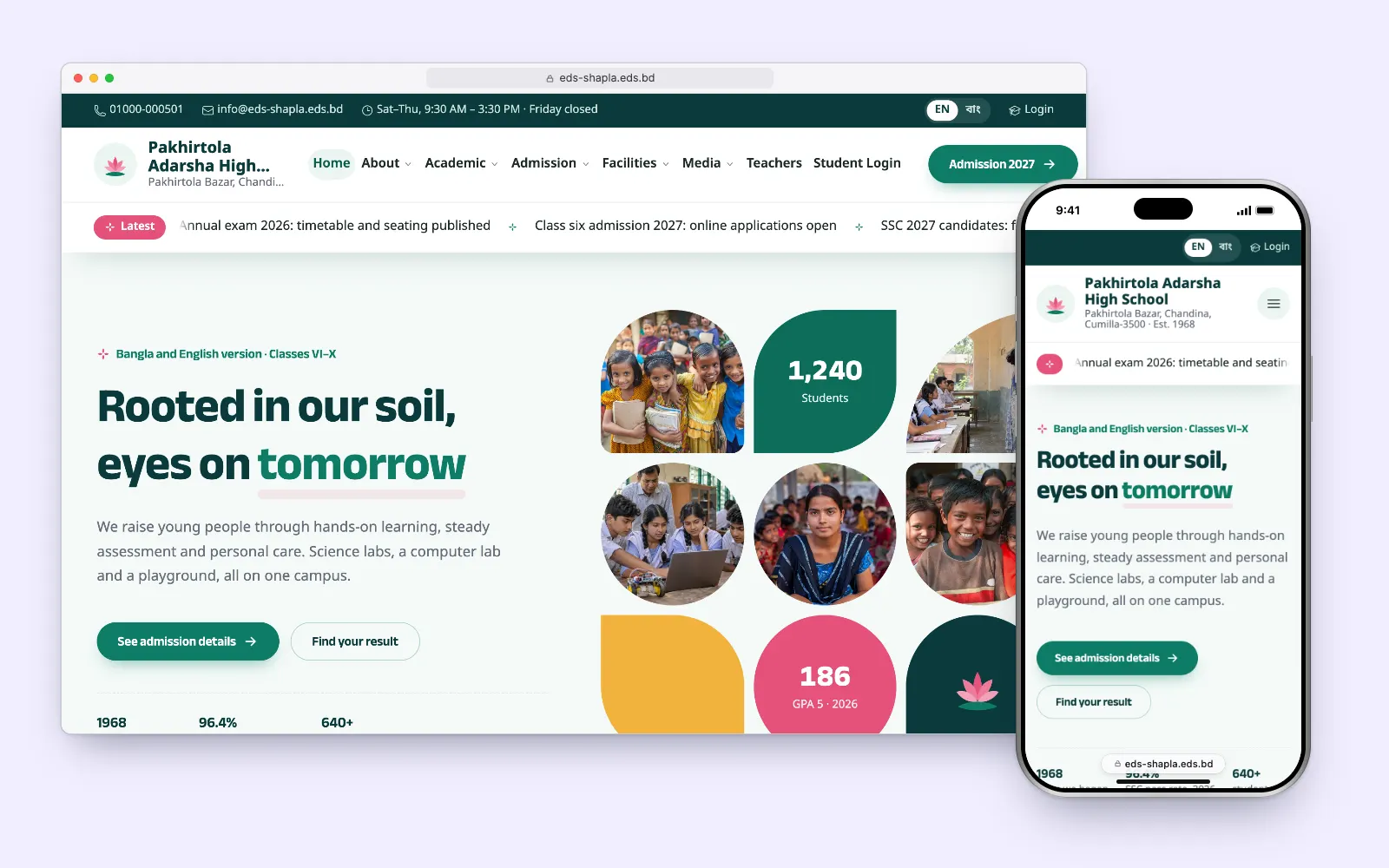
Free website
A free bilingual website for your institution. Notices, the admission form, results and the teacher list update from the same software. 12 designs.
Put your institution online before 30 December.
Live in 10 minutes. We're here if you get stuck.