Exam management, admit cards and tabulation sheets
Exam dates, fee clearance before admit cards, exam fee billing, admit cards with QR codes and board-style tabulation sheets, all in one place.
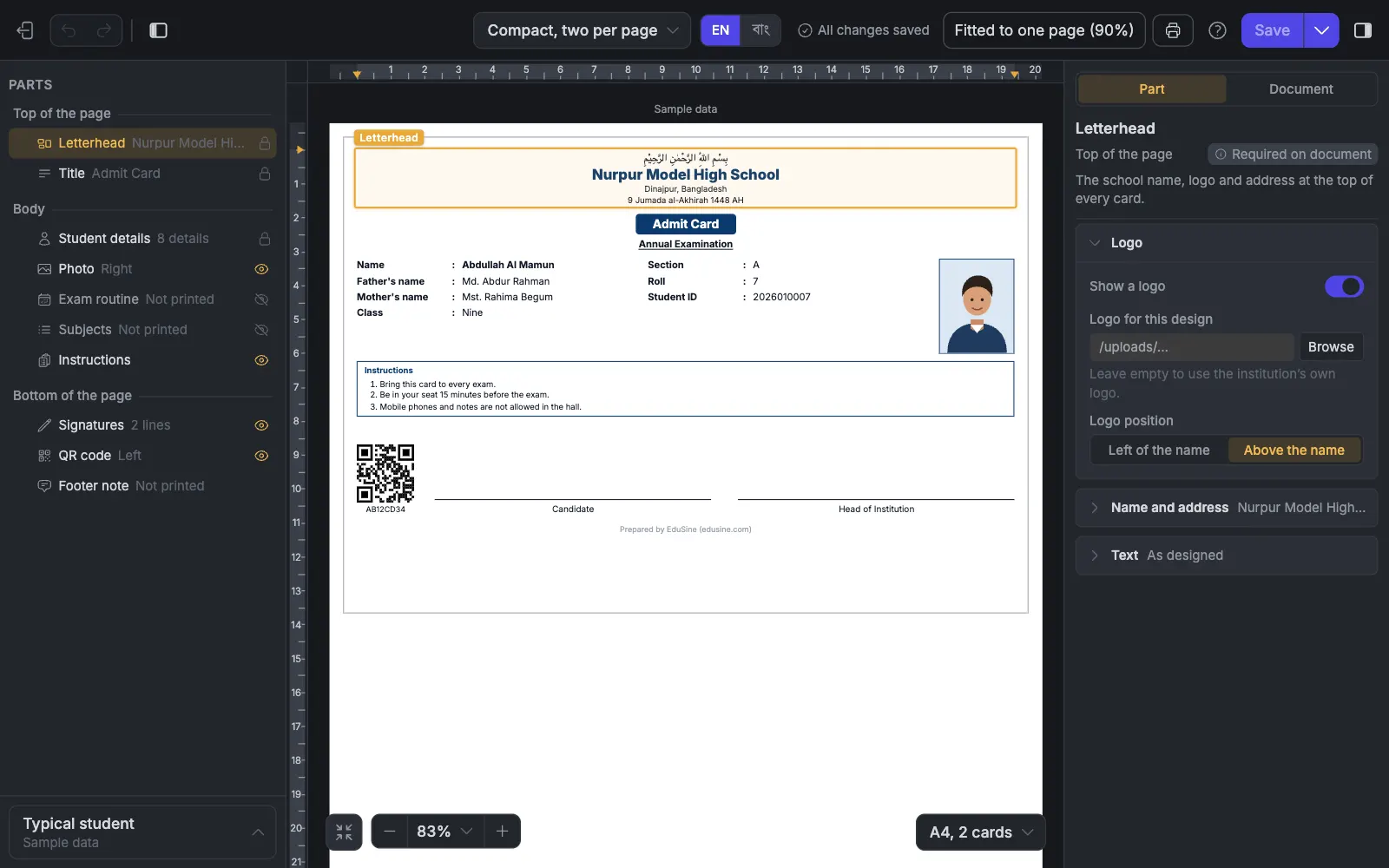
The two weeks before an exam are the office's busiest. Whose fees are due, who gets an admit card, who was let off, who still owes the exam fee: when all this lives in separate registers, mistakes are almost certain. In EduSine every exam has an Exam office page where this work happens in one place.
What it does for your institution
- Exam datesfilled in from the exam routine, so you never type them twice.
- Clearance ruleyou decide up to which month fees must be paid before a student gets an admit card. You can allow a small amount of dues, or add extra fee heads to the check.
- Exemptionslet a student through on a promise to pay by a given date. The promised date is kept on record.
- Exam fee"Bill exam fee" bills every student at once. Preview it first, and undo it if something is wrong.
- Admit cardsprint admit cards with a QR code. Scanning the code shows whether a card is genuine.
- Tabulation sheetsboard-style tabulation sheets on A3 or Legal paper, plus the merit list, the failed list and award lists (filled in or blank).
How it works
- Create the exam and add its routine. The dates appear in the Exam office.
- Set the clearance rule, for example all fees paid up to the month before the exam.
- If you charge one, bill the exam fee with "Bill exam fee".
- Look at the list of students with dues and decide who to exempt.
- Print the admit cards.
- After the exam, once marks are in, print the tabulation sheet, merit list and failed list.
Who uses it
- The head or the exam committeesets the rules, decides exemptions and checks the tabulation sheet before results are final.
- The office and accountsbill the exam fee, watch the dues list and print admit cards.
- Teachersenter marks for their own subjects, and can print a blank award list to note marks on paper.
- Students and guardianson Standard, download admit cards from the portal. A student with dues sees only "please see the school office". The amount is never shown, so nobody is embarrassed.
Common questions
Is the admit card maker on the free plan?
Yes. Admit cards with QR codes print on the free plan, in one built-in design. Designing your own admit card needs Standard. Need a few cards before you sign up? The free admit card maker prints them straight from a student list, and the class routine maker lays out the exam week's routine.
How many exams does the free plan allow?
One exam per class each year on Free. Standard has no limit. Coaching centres are not held to this limit.
Does the tabulation sheet look like the board's?
Yes. It follows the board's layout with subject-wise marks, grades and GPA, and prints on A3 or Legal paper.
Can a student with dues still get an admit card?
Yes. Give an exemption and note the date they promised to pay. It stays visible in the Fee Register.
What if the exam fee is billed by mistake?
No need to worry. You see a preview before billing, and a wrong billing can be undone in full.
To see how results are worked out and published after the exam, read Result publishing.
Open your institution's account in a few minutes and use it from your next exam: get started here.
Related features
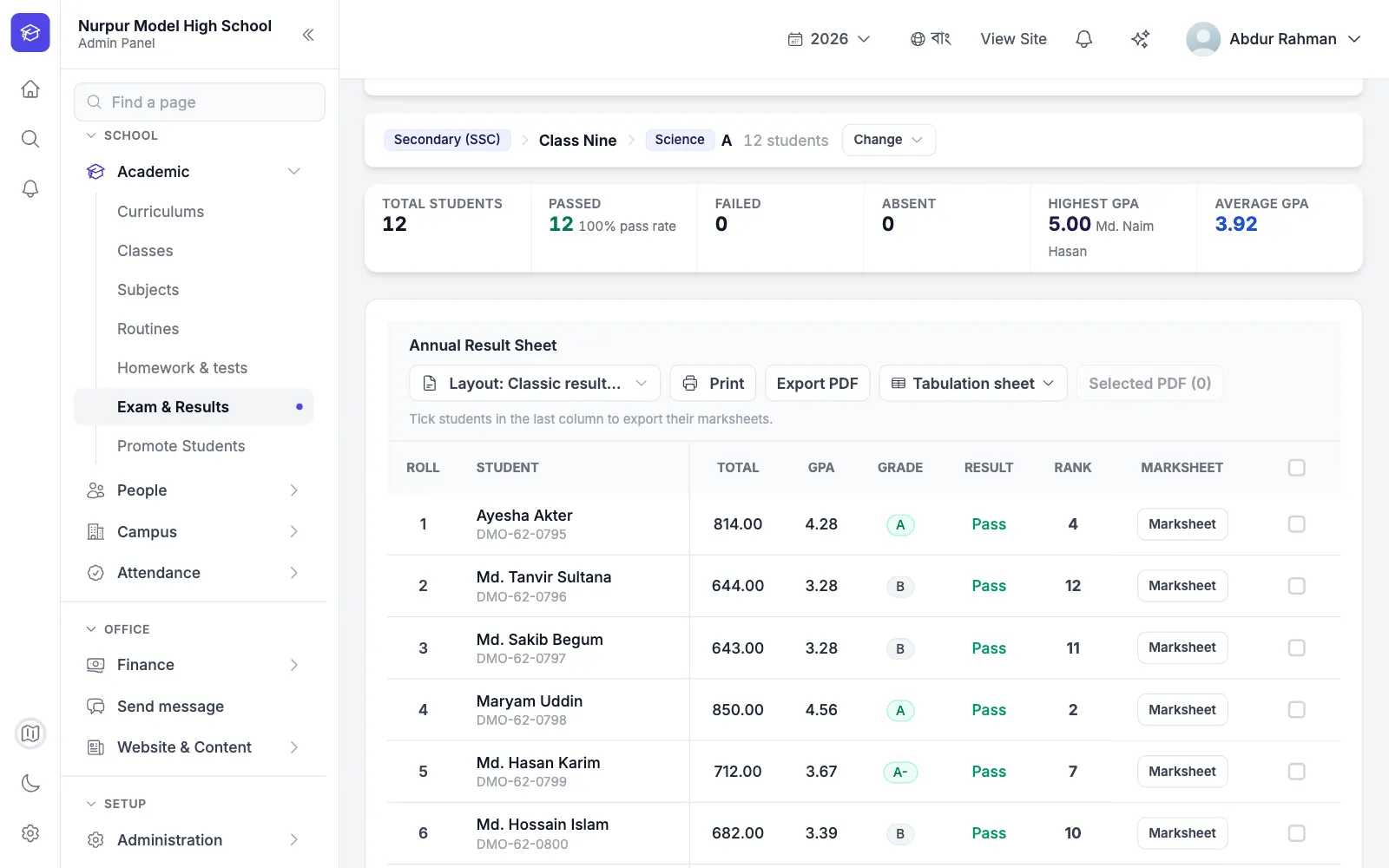
Results and marksheets
Board-rule GPA, the 4th subject and merit positions worked out for you. Print marksheets and send each family its result by SMS and email.
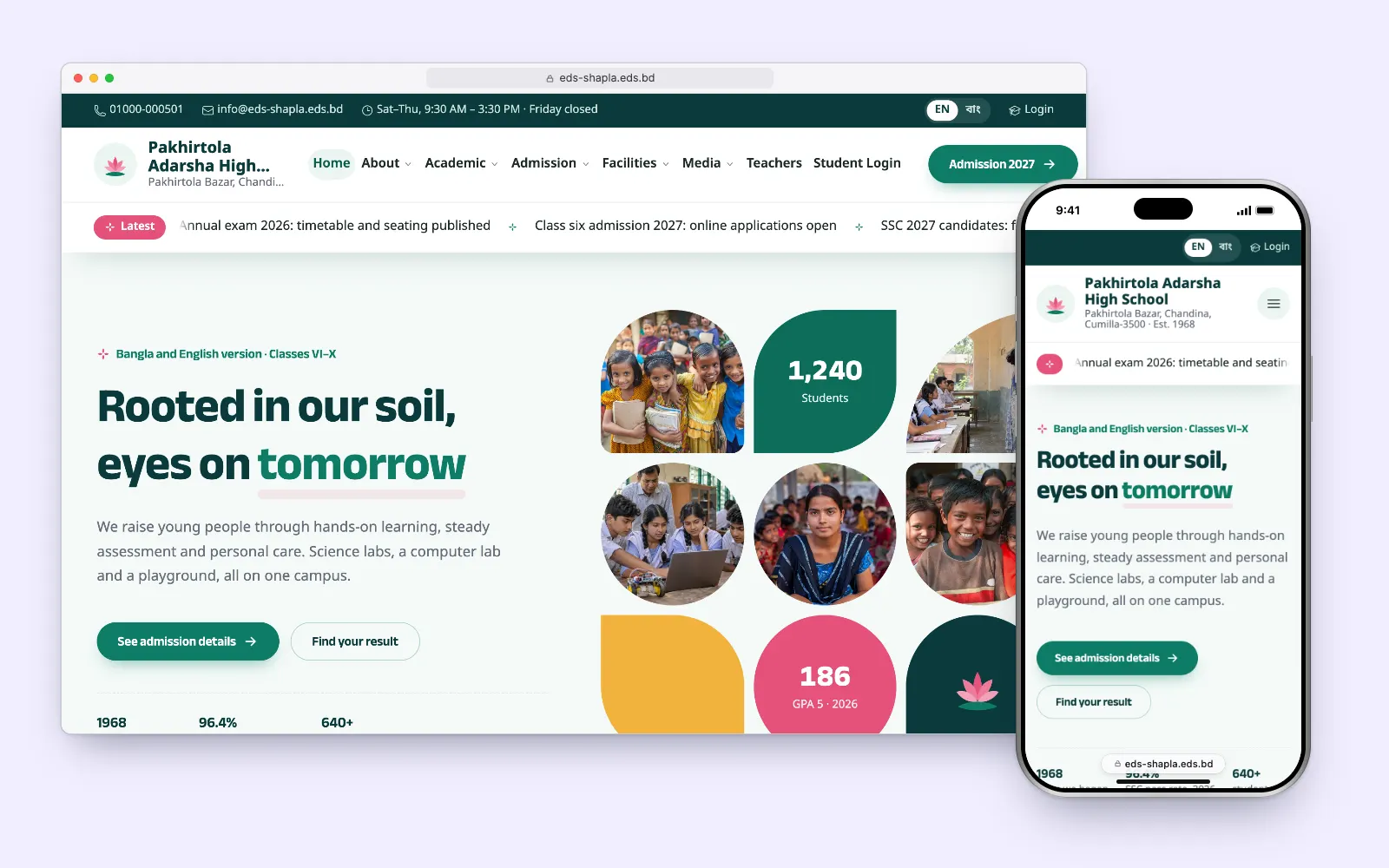
Free website
A free bilingual website for your institution. Notices, the admission form, results and the teacher list update from the same software. 12 designs.
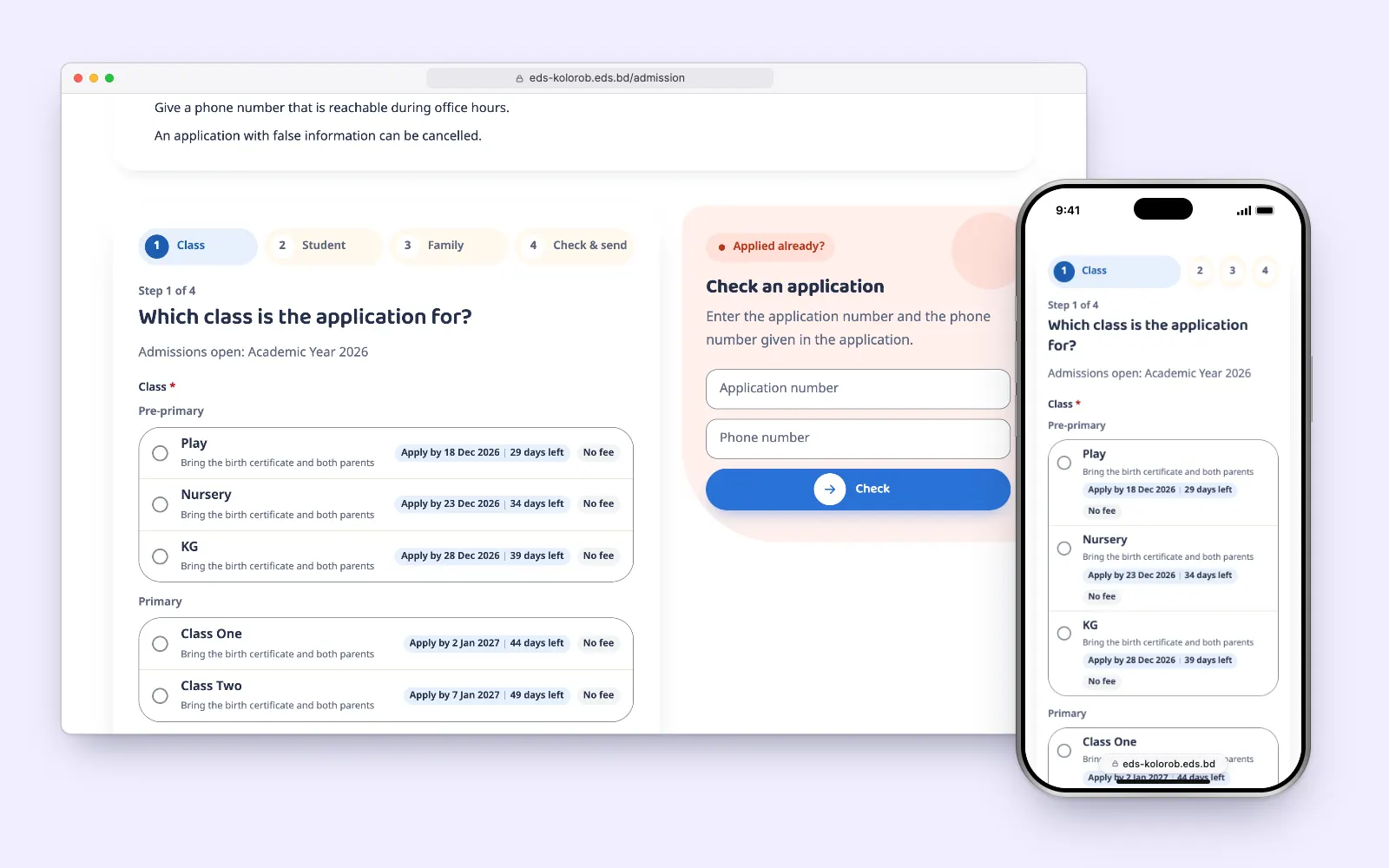
Admission
An online admission form on your website, application numbers, test admit cards, merit lists, lottery and a waiting list. The whole admission in one place.
Put your institution online before 30 December.
Live in 10 minutes. We're here if you get stuck.