Monthly fee collection without mistakes: a monthly routine for the office
Bills, the counter, receipts, discounts, the dues list and the day-end cash count: where fee mistakes happen and how to avoid them.

Collecting the monthly fee takes more of the office's time than almost anything else, in nearly every institution. It is also where most mistakes happen. One student's money goes into another's name, a page of the receipt book goes missing, someone pays half and the rest is never written down. At the end of the month the cash and the book do not match.
Most of these mistakes come from one missing thing: a fixed monthly routine. This post gives a simple routine for fee collection from the start of the month to the end. It helps whether you keep the accounts in a book or in software.
Before the month: set the fees once
At the start of the year, decide and write down each class's monthly fee, the admission fee and the exam fee once. Trying to remember and enter them fresh every month is how mistakes creep in.
Keep a separate list of who gets a discount: how much, why, and who approved it. Verbal discounts are the most dangerous kind. A year later nobody remembers why someone was paying less.
In EduSine this is done on the Fee setup tab of Finance → Finance setup. In a new year you do not have to type every fee again: copy last year's fees and edit only the ones that changed. Discounts have their own page, where each discount's type and reason are written down. If you like, you can also switch on an approval rule before a discount is given.
At the start of the month: make everyone's bills together
Early in the month, make the bills for the whole institution in one go. A bill is the written record of how much each student is due to pay this month. Without bills, the counter has to work out the amount every time, and that is where mistakes get in.
In EduSine, on the Finance → Fee Register page, press the "Prepare {month}" button at the top, and the bills for every class are made. A monthly bill is normally due on the 10th of the month, but no bill is ever due before the day it is made.
At the counter: take money by five rules
Most counter mistakes come from hurry. Even at a busy time, these five rules cut mistakes a lot.
- Check the name, ID and class, all three. Almost every institution has two students with the same name.
- Look at the dues first, then take the money. Not what the guardian says, but what the record says.
- If half is paid, write down the rest. Which month and how much is still owed should be clear on the receipt itself.
- Write down where the money went. Cash, bKash or bank. For bKash, note the TrxID.
- Give a receipt for every taka. Money taken without a receipt means an argument later with no proof.
On EduSine's Finance → Collect page, type the student's name, ID or mobile number and a list shows the name, class, roll and, in red, the amount owed. Choose the name and each unpaid bill shows separately, with the full amount owed already filled in. If someone pays less, change the amount and a line below says how much stays owed. If someone pays more, you can hand back the extra or keep it as money in advance. Money in advance comes off by itself when the next bill is made.
Receipt numbers fill themselves in, and no two receipts share a number. When you save a receipt you can also send it to the guardian, the way your institution has switched on: in the app, by SMS or by email.
When a receipt is wrong
Mistakes will happen. The question is how they are put right. Crossing things out in a book leaves nobody able to tell later what really happened. So make it a rule: never erase a wrong entry, cancel it and write it again, and note why it was cancelled.
In EduSine a cancelled receipt or entry is not deleted. It stays in the list marked as cancelled, and it is no longer counted.
Once a week: look at the dues list
The older a due gets, the harder it is to collect. So make a habit of looking at the dues list once a week. Look first at those who are two months or more behind.
The Fee Register keeps the whole year's account of every student of a class on one sheet. A red amount means owed, a tick means paid. Press Owe money or 2+ months behind at the top and only those students show. You can also see the whole institution's list at once, with the biggest dues at the top. To give a class teacher the dues list of their class, print it as a PDF.
To remind guardians, send reminders from the same place. A student gets at most one reminder a day, so pressing twice by mistake does no harm. You can also switch on automatic reminders before and after a bill's due date. When they go by SMS, the cost comes from the institution's SMS balance.
Late fees: if you have a rule, write it down
Many institutions charge a late fee after the due date. If you do, apply it the same way to everyone and tell guardians in advance. Adding a late fee at the counter as the mood takes you brings complaints.
In EduSine, the Fee Register's More menu has Add late fees, where you set a late fee for each fee: an amount or a percentage, and how many days after the due date. A bill is never fined twice. You can also have the fines added automatically every day. This is off for a new institution, and it never fines older bills from before you switched it on.
At the end of every day: balance the cash before you go home
Keep ten minutes at the end of the day. How many receipts today, how much money in total, and how much is in the cash box when you count it. If they match, go home. If not, look today; tomorrow it is much harder to find.
The Collect page has today's receipts. In the Cash Book, choose an account and today's date to see the opening balance, today's money in and out, and the closing balance. When several people take money at the counter, the Cash-counter close report shows how much cash each one holds.
At the end of the month: close the month
When everything for the month matches, close the month. After that nobody can write a new entry into the old month, so balanced figures stay balanced. On EduSine's Standard plan you can close a month from the Cash Book, and open it again with a reason if needed.
The monthly routine in short
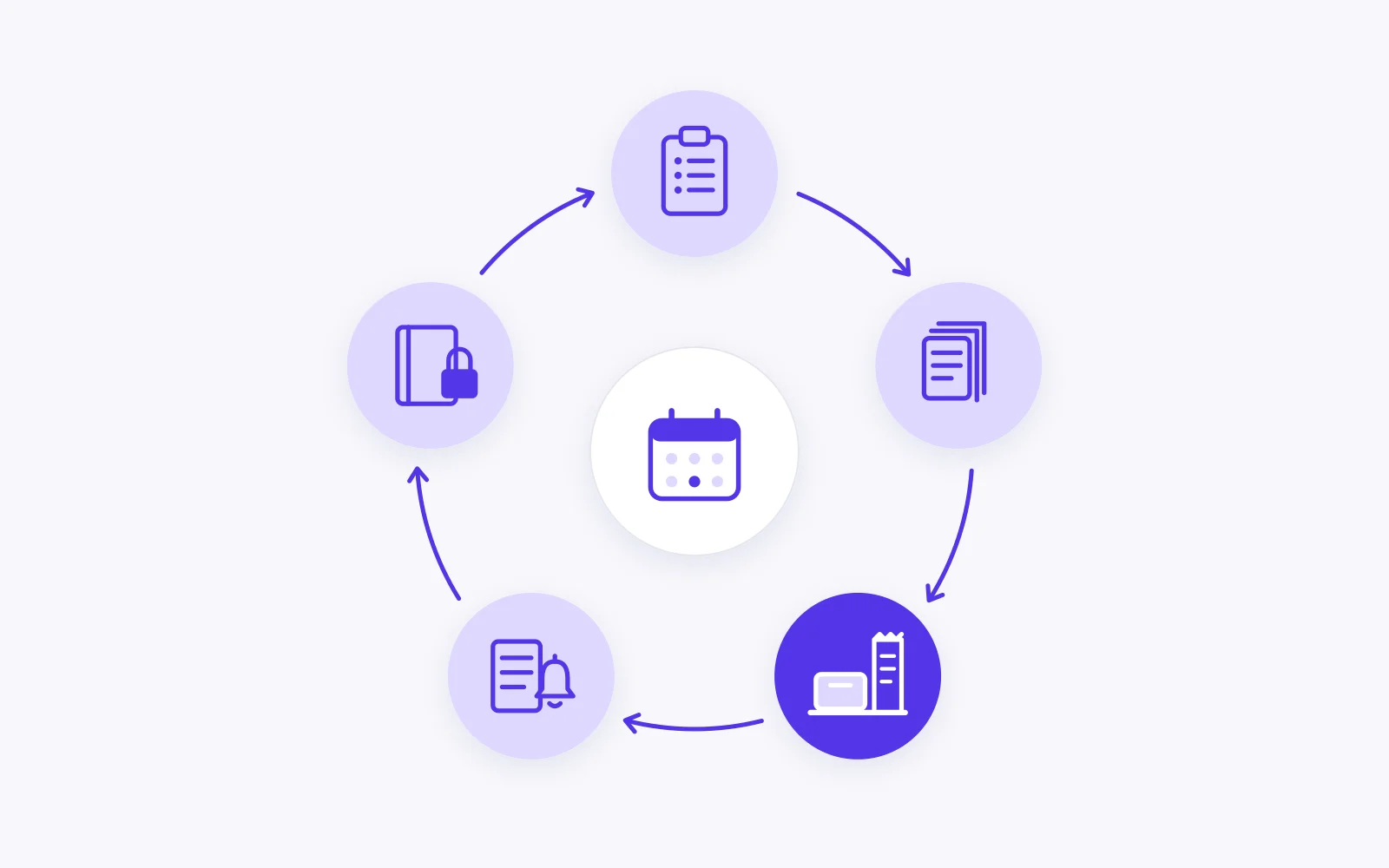
- At the start of the year: settle the fees and the discount list.
- At the start of the month: make everyone's bills together.
- Every day: take money by the five rules, and balance the cash at the end of the day.
- Every week: look at the dues list and send reminders.
- At the end of the month: balance the accounts and close the month.
To see it step by step, read the tutorials Fee setup, Collect fees and give receipts and Fee register and dues. To learn more, see the Fees and receipts page.
A few details are all it takes to start your institution's website and software, free.
Create your website for freeRead next

Collecting school fees by bKash and Nagad
Personal number, merchant account or payment gateway? Three ways to take fees by mobile banking, the risks, and how to keep the books straight.
4 min read

A guide to a fair admission lottery
When applications outnumber seats, a lottery is the simplest way. Announcing the rules first, drawing in public, running the waiting list and avoiding complaints.
5 min read

Running admission season: from notice to first class
The admission notice, applications, fees, admission test, merit list and waiting list. How a school or madrasah can organise admission step by step.
4 min read